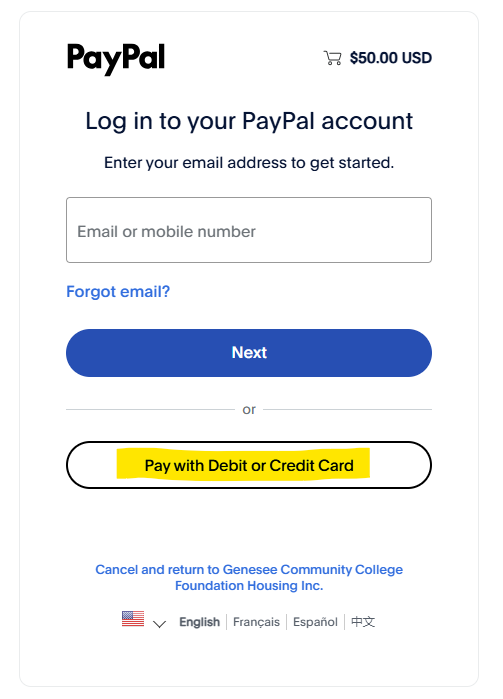
Having issues with the PayPal portal?
Follow these steps to pay with a credit or debit card directly.


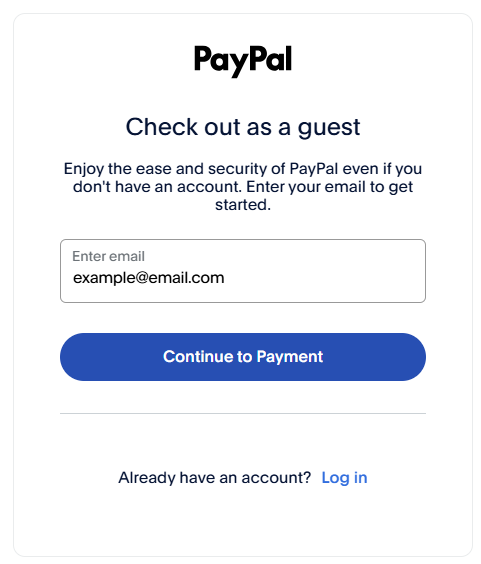
Having issues with the PayPal portal?
Follow these steps to pay with a credit or debit card directly.
Technology always attempts to “remember” things you do in order to make it faster. If you ever had a PayPal account, your device, browser, etc. may want to automatically sign into that. (If you normally use Safari, try internet explorer or chrome. Or try using the “Incognito” or “Browse as a Guest” mode in your internet browser setting.
Fill out the form at www.gccvillage.com/pay to indicate what amount you are trying to pay and access our PayPal business account.